Runs at your venue
The lanes run on a computer at your venue, not in the cloud. If the internet goes down, nothing on the lanes notices.
 Get early access
For axe-throwing venues
27 projected games, a scoring tablet on every lane and a front-desk iPad that runs the night. Built by District 306, an axe-throwing venue in Regina, Canada.
This is the real game engine. Two players take turns, just like on a lane.
See it move
The target fights back: keepers dive, zombies advance, hoops slide and firewalls spin. Every hit gets its own animation and sound on the wall.
The library
Sports for the competitive ones, arcade action for the gamers, party games for birthdays and work nights, and the classic scoring games your regulars know. Tap a game to play it above.
How it works
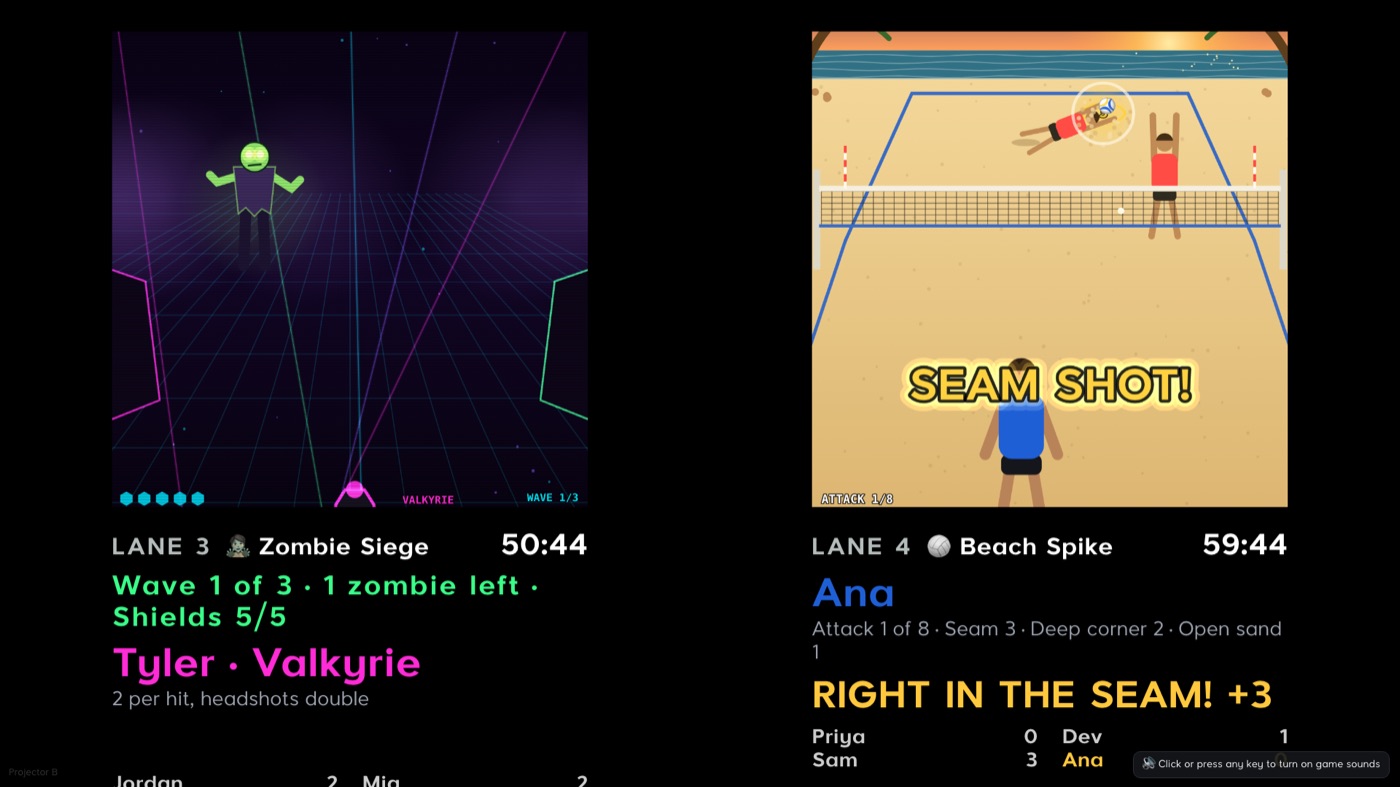
A small PC above each pair of lanes drives the projector. Targets, scores and animations land exactly on your boards. Line them up from the iPad, with no ladder and no keyboard.
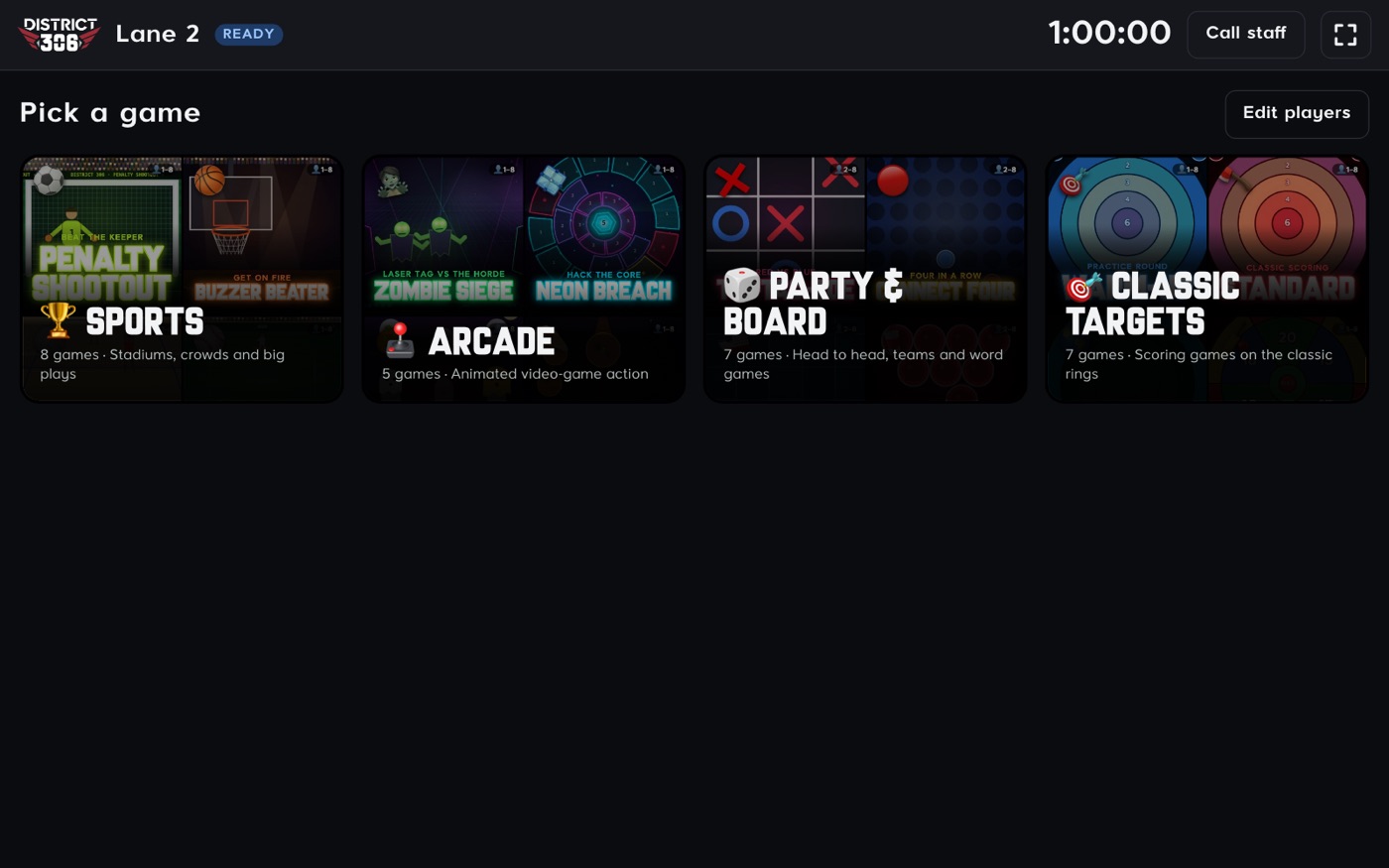
Each lane has a tablet. Guests type their names, pick a game and tap where each axe landed. The wall updates instantly.
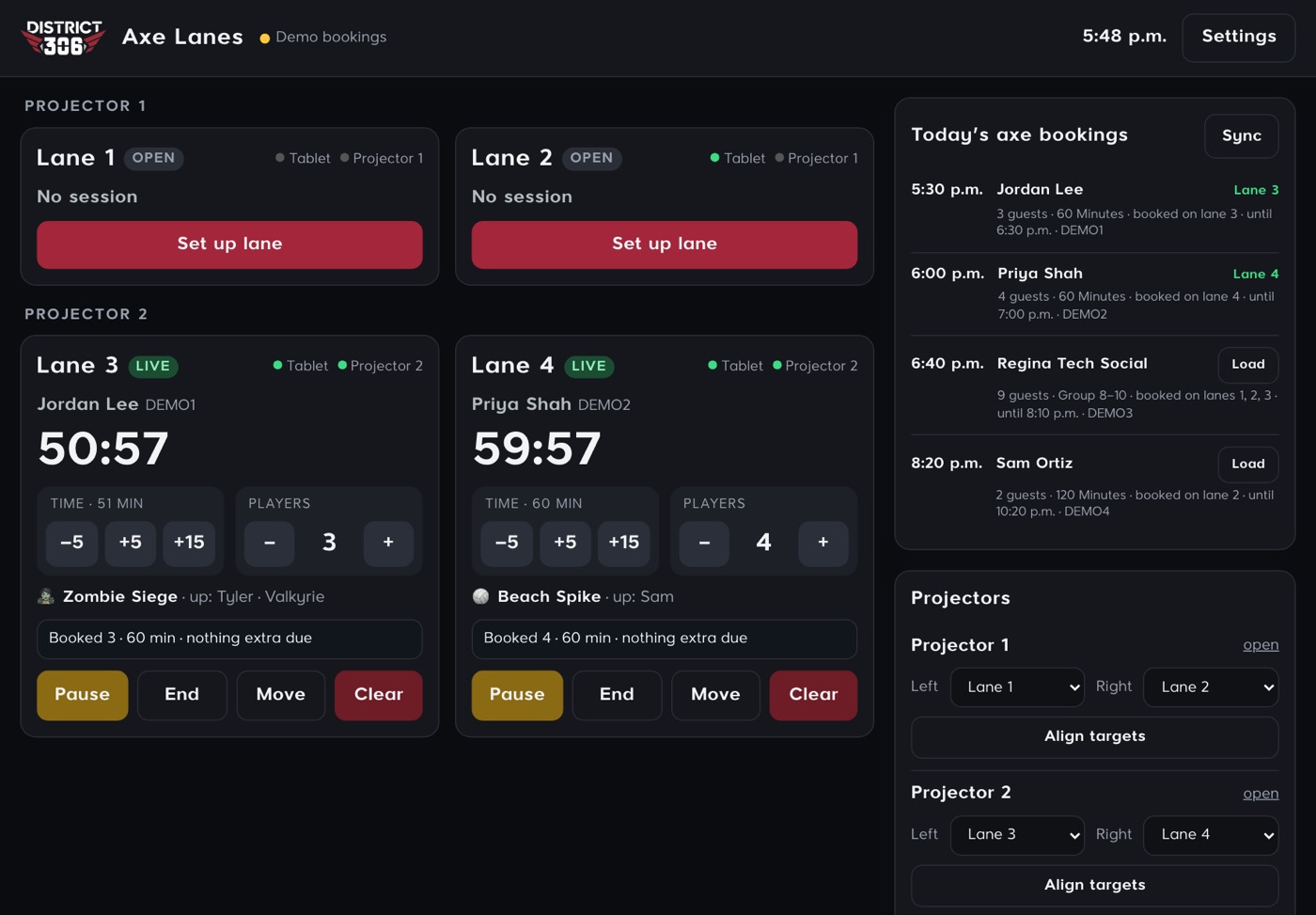
One iPad shows every lane: who is on it, time left, what they are playing and what they owe. Today’s bookings sit beside them, ready to load.
Built for real nights
The lanes run on a computer at your venue, not in the cloud. If the internet goes down, nothing on the lanes notices.
When the clock runs low, the lane tablet offers +15, +30 or +60 minutes with the price. The front desk gets an alert and adds it in one tap.
Your logo and venue name on the tablets, the wall and the front desk, and even on the stadium boards inside the games.
Your own price list per person and per length, your taxes and your currency. Extra players and extra time are priced for you.
Set up lanes by hand in seconds, or connect a booking system so groups appear on their lanes before they arrive.
A teammate taps where each axe landed, so every score is exactly what happened on the wood. No sensors to misread a throw, drift or break.
Line the targets up on the wood from the front desk in a couple of minutes. No ladder, no keyboard.
A short walkthrough of every screen, so new staff are ready on their first shift.
Does it pay for itself?
Move the sliders to match your venue. This only counts extra time sold from the lane tablets.
An estimate from your own numbers, not a promise. Prices in your currency, before tax.
Pricing
Pick the games you want. Upgrade any time and the new games appear on your tablets right away.
Prices in US dollars per month, per venue. Taxes may apply. North America first.
What you need
No marked-up kits and no per-lane licence. Buy standard, off-the-shelf hardware from any store, and one projector covers two lanes. Already have projectors and PCs from another system? They usually work. Send us the models and we’ll check.
| Item | Qty | Estimated cost |
|---|---|---|
| Estimated total, one time |
Rough US prices for new hardware, before tax. Prices vary by store and change often. Then Nitro Axe from US$99 a month for every lane.
Get early access
We’re opening to a small number of venues first. Tell us about yours and we’ll be in touch to set you up. Add your logo to preview it on a lane tablet.
Your name on the stadium boards in Penalty Shootout. Tap the target to take a kick.
Questions
No. Everything runs on the computer at your venue over your own Wi-Fi. If the internet goes down mid-session, games, timers and scores keep going. The internet is used for updates, bookings and checking on things remotely.
It keeps scoring. Throws are saved on the tablet and sent the moment it reconnects, so no game is lost. Screens reconnect by themselves.
Yes. Any projector that can reach your boards works, driven by a small Windows PC. Lane tablets can be Android or iPad. We’ll check your setup with you before you start.
Plan on about an hour: install the software on your front-desk computer, open the lane links on each tablet and projector PC, then line the targets up on the wood from the iPad.
No, on purpose. Guests score for each other on the lane tablet (buddy scoring): a teammate taps where the axe landed. It’s exact on every throw, needs no extra hardware, and keeps the group playing together.
Yes. Turn any game in your plan on or off from the iPad. You’ll also see which games your guests play most.
Today you can set lanes up by hand in seconds. Connections to popular booking systems are on the way; tell us which one you use in the form above.
Yes, any time. A new plan’s games appear on your tablets straight away.